Last updated on April 19, 2026
If you have already found a Japanese store but still feel lost on the product page, you are not alone. Many Japanese online stores have useful search tools and clear product signals, but they can still feel hard to read when the page is in Japanese or the catalog is large.
The good news is that you do not need to read Japanese fluently to make better decisions. In many cases, a few useful search terms and a handful of common labels are enough to help you understand what you are looking at.
In this guide, you will learn how to search more effectively, use categories and breadcrumbs, and recognize common terms like
予約 (pre-order),
在庫あり (in stock),
新品 (new), and
中古 (used). By the end, you should feel more confident reading a listing before deciding whether to move forward.
Start with the search box: what to type first
The search box is usually the fastest way to find a product, but broad terms often bring messy results. A better approach is to combine the series name, character name, or brand with the type of item you want.
Try the product name in English and Japanese
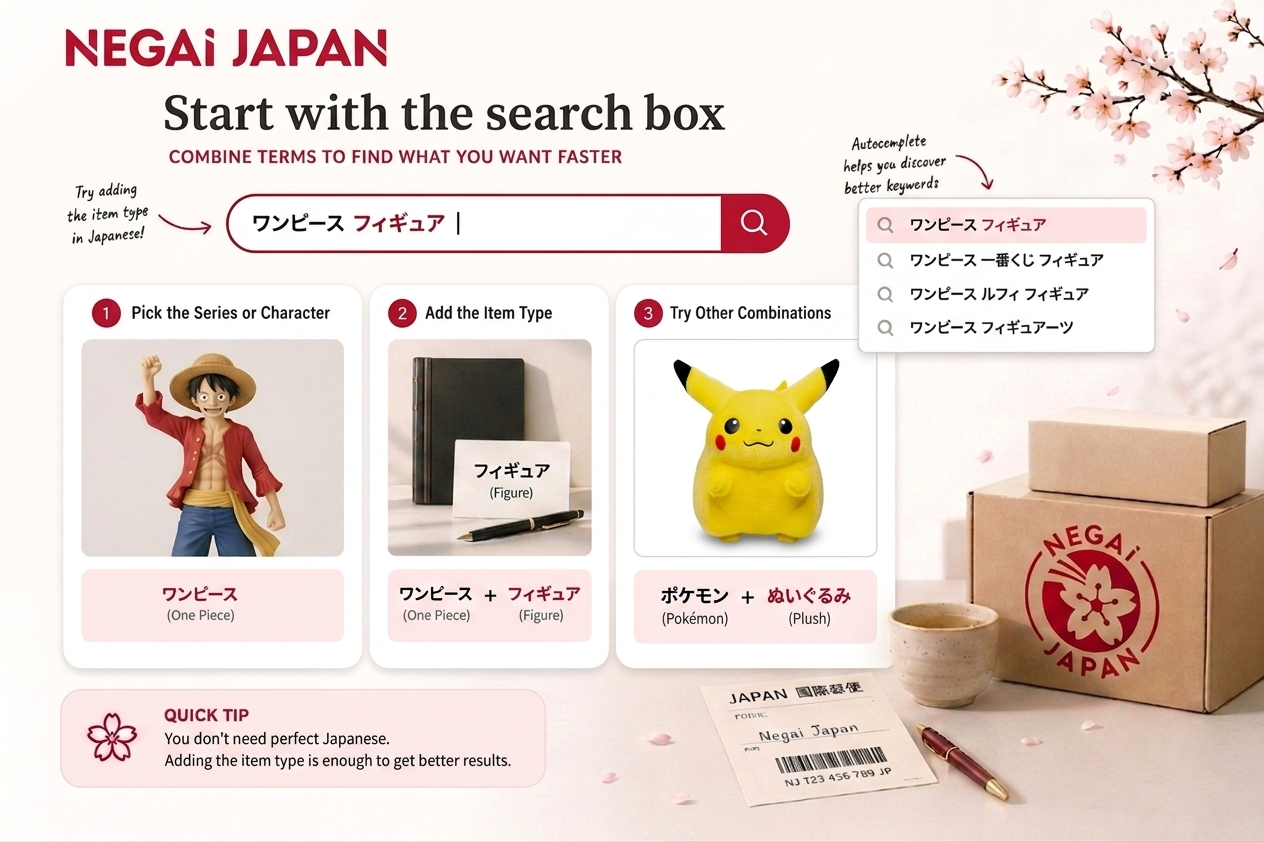 Combining the series name with the item type can make Japanese store searches much more useful
A simple place to start is the name of the series or character. Some stores can handle English keywords, while others work much better when you add Japanese terms.
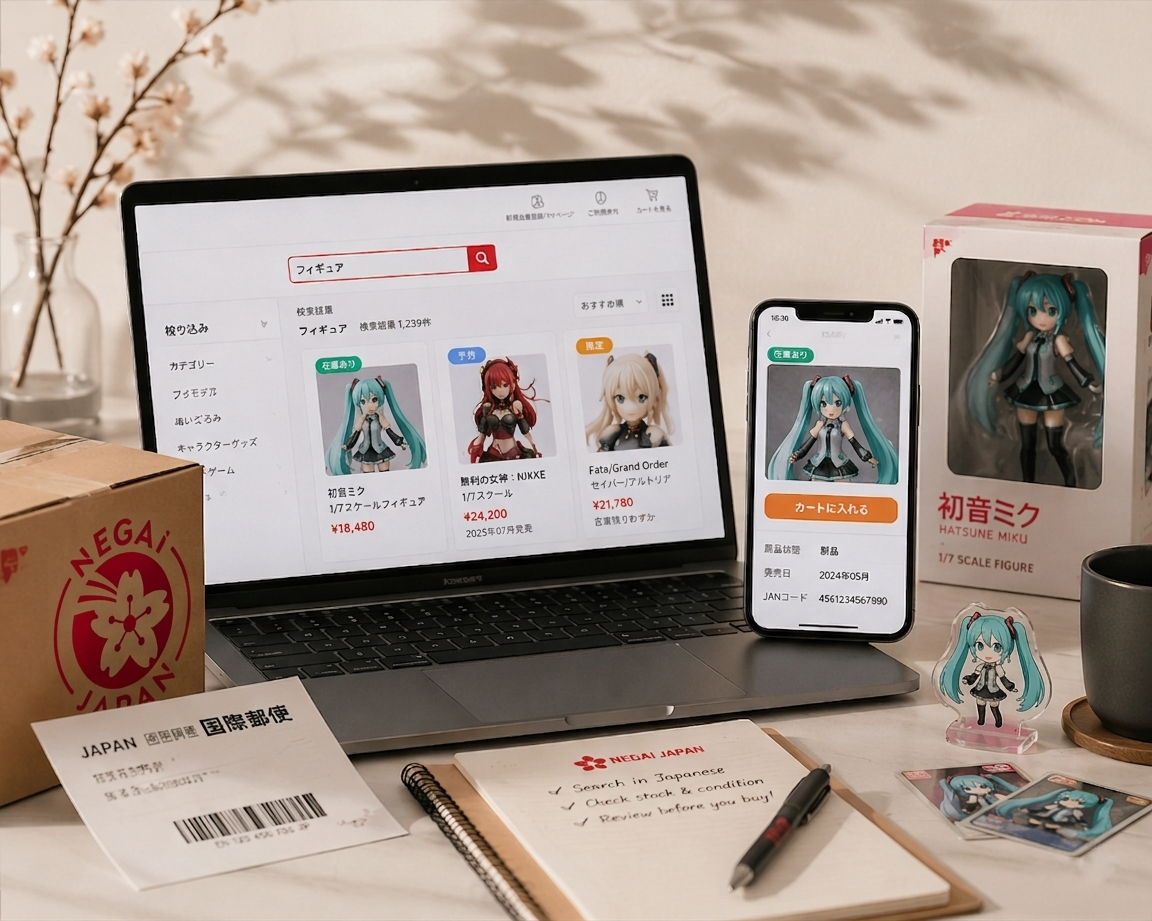
For example, if you are looking for a figure, try combining the title of the series with
フィギュア. If you want a T-shirt, add
Tシャツ. If you are looking for a plush, try
ぬいぐるみ.
- Final Fantasy + フィギュア
- Pokémon + ぬいぐるみ
- Evangelion + Tシャツ
You do not need to translate the full product title perfectly. In many cases, translating the item type is already enough to improve your results.
Add the item type to narrow the results
Searching only for a franchise name can bring back too many unrelated items. Adding the type of product helps the store understand what you actually want.
This is especially useful if you are shopping for character goods, collectibles, or media. Common item terms include:
- フィギュア = figure
- 本 = book
- ゲーム = game
- サウンドトラック = soundtrack
- アクリルスタンド = acrylic stand
If you are searching for a specific kind of item, think about how the store would categorize it, not just how fans describe it.
Use autocomplete and suggested terms
Many Japanese stores show suggestions while you type. This is one of the easiest ways to learn how that store labels products.
If a Japanese suggestion appears and looks close to what you want, click it. Even if you were not sure about the exact spelling, the store may be pointing you toward the term it actually uses in its catalog.
This can save time and help you avoid small spelling differences that would otherwise hide the right result.
Check alternate names and official spellings
Some products are listed under official names that differ from the name fans usually use in conversation. A character name may appear in katakana, a series may use an abbreviation, or a collab may be labeled under the brand instead of the franchise.
If your first search does not work, try:
- the official English title
- the Japanese title
- the character name in Japanese
- the product line name
- the brand or manufacturer name
You do not need the perfect keyword on the first try. The goal is to move from a vague search to a useful one.
Use categories, filters, and breadcrumbs to narrow the results
If search results still feel too broad, the structure of the store can help more than the search bar. Categories, filters, and breadcrumbs often show how the shop organizes similar products.
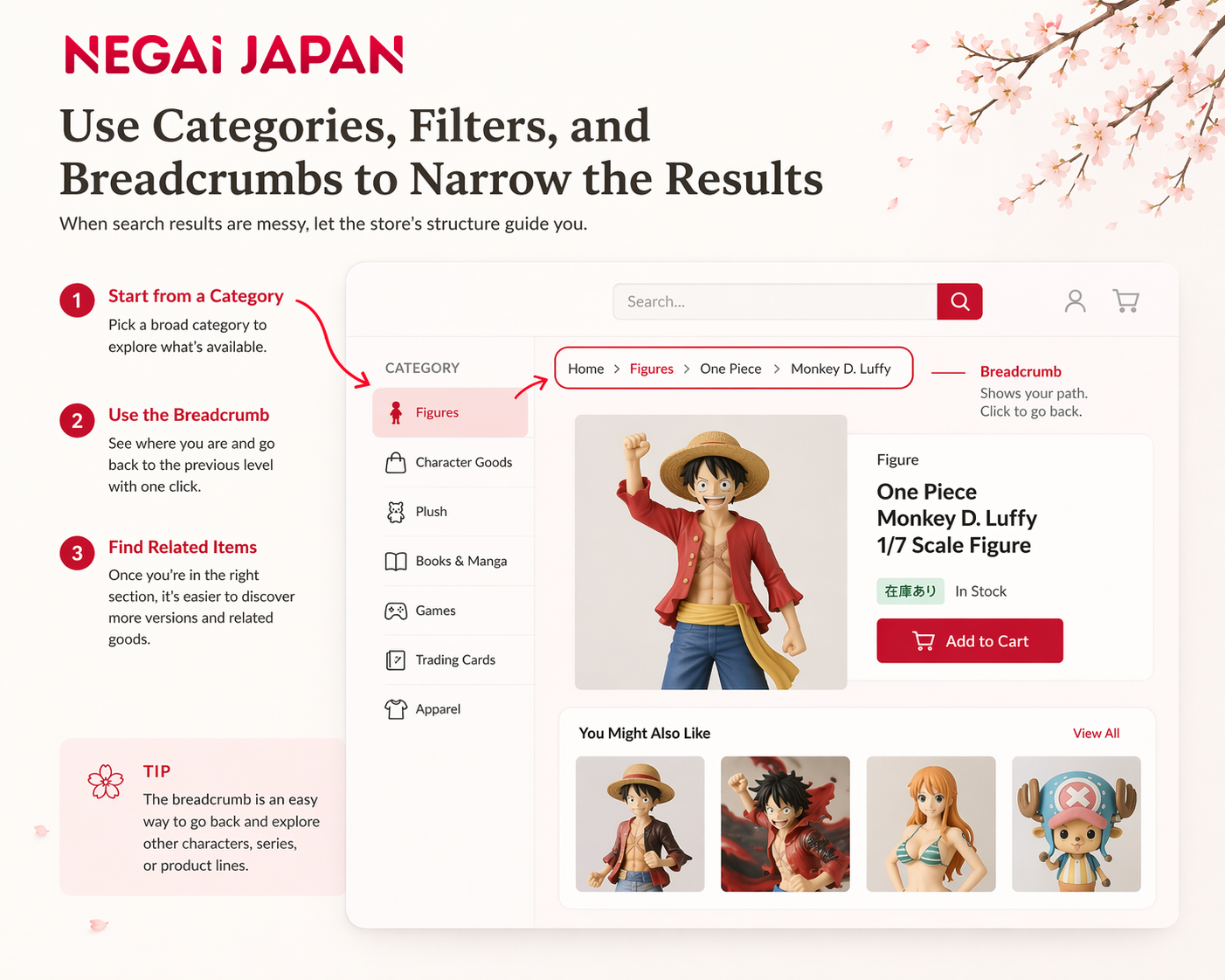 When search results feel messy, categories and breadcrumbs can help you find the right path
Browse by category when the results are messy
Sometimes direct search is not enough, especially if the item name is short, common, or translated in different ways. In that case, category pages can be more useful.
You might find sections such as:
- Figures
- Books
- Games
- Character goods
- Trading cards
- Apparel
This is helpful when you do not know the exact item name yet and want to explore what exists in that category.
Use breadcrumbs to go back to the right section
A breadcrumb is the navigation path near the top of the page that shows where the item sits inside the store.
It may look something like this:
Home > Figures > Series Name > Character Name
This small line is easy to ignore, but it can be very useful. If you find one product that looks close to what you want, the breadcrumb can help you move back to the broader category and find other versions, sizes, or characters in the same line.
Pay attention to tags and related links
Many product pages also include tags or related links. These can point you toward:
- the name of the anime or game
- a limited release
- a collaboration
- a character name
- a new release
- similar products in the same line
This is especially helpful when the first result is close, but not exactly right. You may discover a different edition, another size, or a related item you had not found through search alone.
Sometimes you do not find the item through the exact keyword. You find it by following the right path inside the store.
Read the labels that change your decision
Some of the most important information on a Japanese product page appears in short labels. These small words can tell you whether the item is available now, sold out, discounted, or still waiting for release.
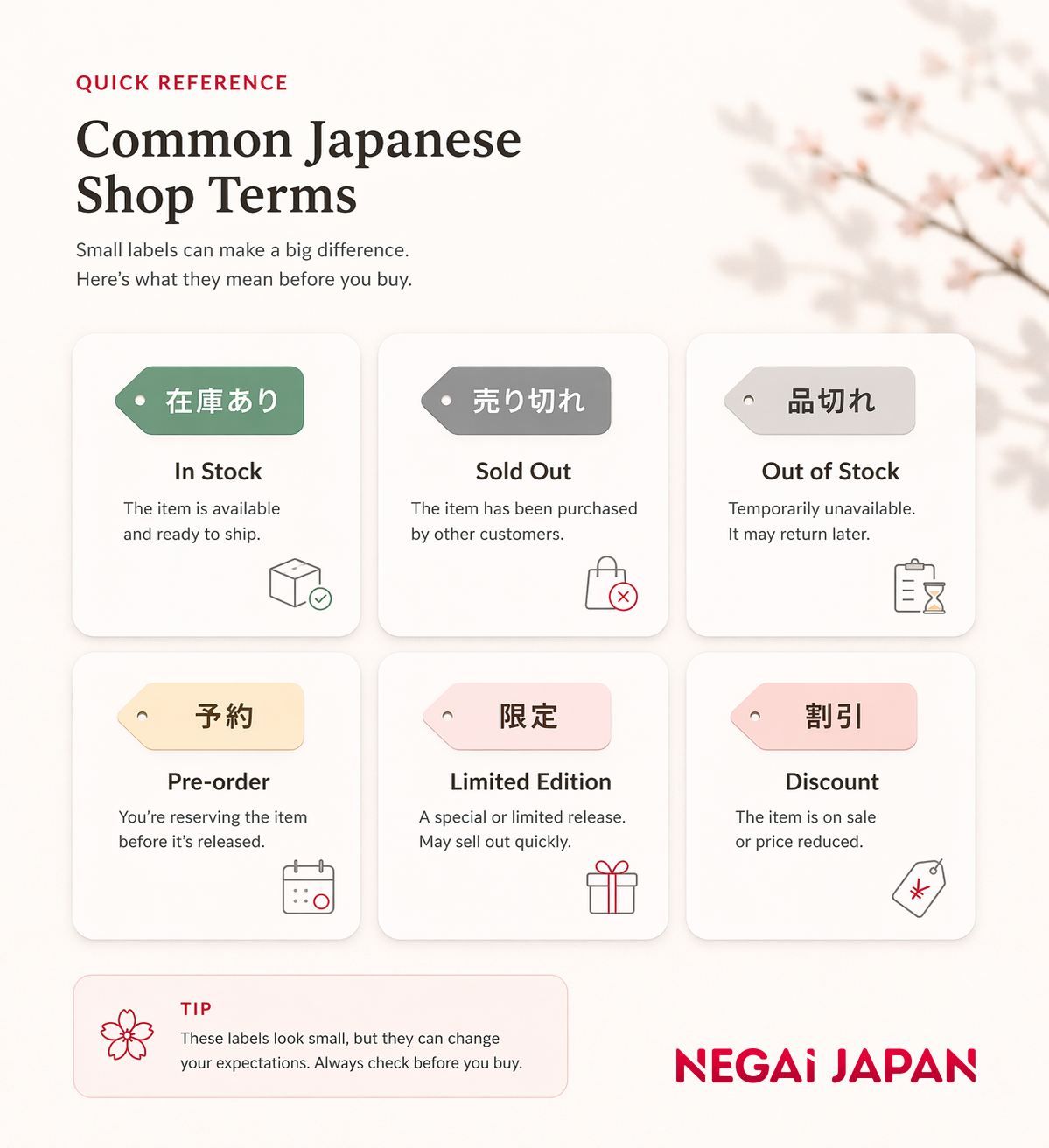 A few small labels can completely change what a product listing means
在庫あり: in stock
在庫あり means the item is in stock.
This is usually a good sign if you are looking for something that can move forward more quickly. Still, availability is only one part of the picture. You should also confirm the condition, edition, and any other details that matter to you.
売り切れ / 品切れ: sold out / out of stock
売り切れ and
品切れ mean the item is sold out or out of stock.
If you see these labels, do not assume the item will return soon. It may come back, but it may also stay unavailable for a long time. At that point, it is usually better to look for another listing, another seller, or another store.
予約: pre-order
予約 means pre-order.
This is one of the most important labels to catch because it changes your expectation immediately. A pre-order item is not ready for immediate shipment. It may still be months away from release.
If you miss this label, you might think you found the right item for a gift or a near-term shipment when the product has not even been released yet. Always check the release timing before getting too attached to a pre-order listing.
限定 / 期間限定: limited / limited-time
限定 means limited, and
期間限定 means limited-time.
These labels often appear on collabs, event goods, seasonal releases, and special editions. They may signal a short sales window or a smaller production run.
That does not automatically mean you need to rush, but it does mean you should read more carefully and understand what makes that version different.
割引 / 値下げ: discount / price reduced
割引 and
値下げ usually indicate a discount or price reduction.
These labels can point to a good opportunity, but a lower price should not replace the rest of your checks. A discounted item may still be used, delayed, or not the version you actually want.
These labels look small, but they can completely change what you should expect from the listing.
Check the item condition before you get excited
Before you focus on the price, check the condition. This matters even more when you are looking at collectibles, used items, or listings with similar photos and titles.
新品: new
新品 means new.
That is straightforward, but do not stop there. Even when an item is new, it is still worth confirming the version, size, and release details.
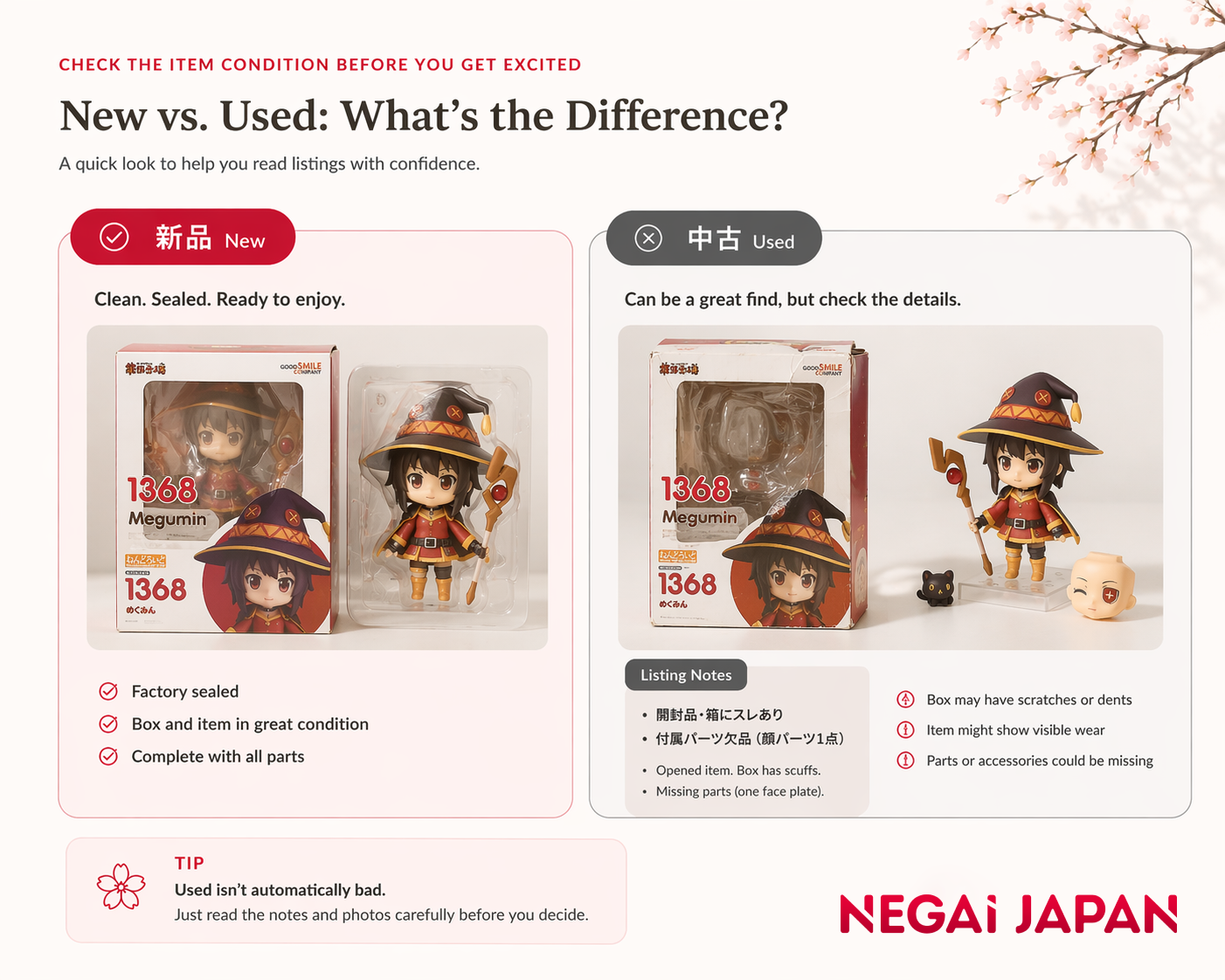 Used does not automatically mean bad, but it does mean you should read the listing more carefully
中古: used
中古 means used.
This does not automatically mean something is wrong with the item. But it does mean you should slow down and read more carefully before deciding.
Look for extra condition notes
Some listings include short notes that matter a lot, especially for collectors. These notes may mention things like:
- damaged box
- opened item
- missing parts
- visible wear
- packaging issues
- incomplete set
If you are buying figures, boxed collectibles, or items where condition matters, this part deserves extra attention.
Used does not always mean bad, but it does mean read more carefully
A used item is not automatically a bad item. Sometimes it is the best way to find older goods, sold-out releases, or a better price.
But it does mean you should read the listing more carefully before deciding. The lower price may be attractive, but the condition should come first.
When to pause before buying
Not every listing that looks exciting will make sense for your situation. Sometimes the smartest move is to stop for a moment, review the details, and make sure the listing is really what you think it is.
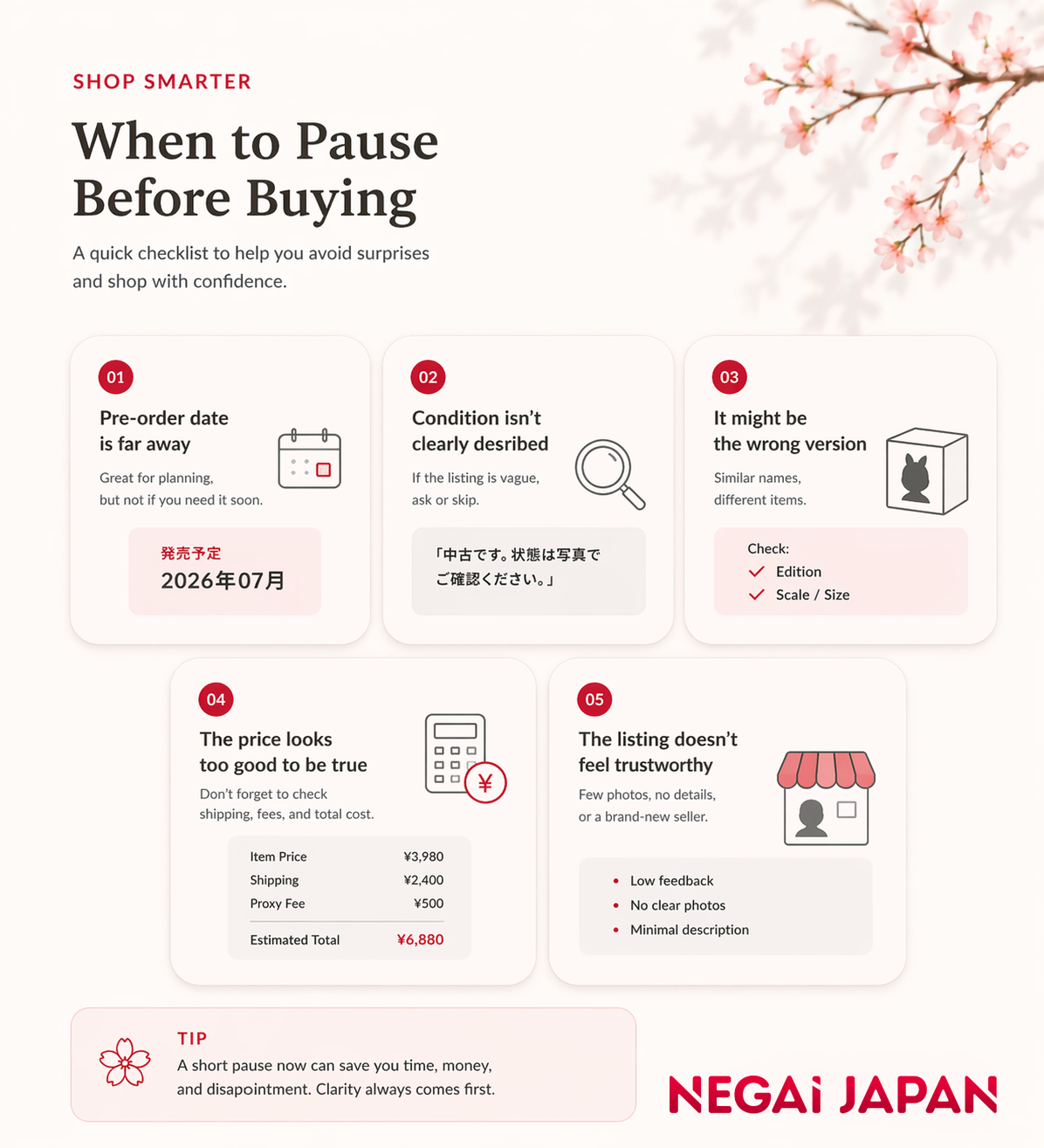 Sometimes the best next step is to pause, review the listing, and make sure it really makes sense
The item is a pre-order with a far-off release date
If the listing is a pre-order and the release date is still far away, pause and think about your timeline.
This matters even more if the item is meant to be a gift, part of a larger order, or something you wanted soon.
The listing is used, but the condition is still unclear
If the page tells you the item is used but does not make the condition easy to understand, that is a good reason to slow down.
A short title and one unclear photo may not tell you enough, especially for fragile collectibles or special editions.
The item looks cheap, but the overall cost may not make sense
A low item price can be tempting, but the item price is not the whole decision.
If the listing is for a very small purchase, a very bulky product, or something that seems inexpensive but not especially urgent, it may be worth pausing before moving forward.
You can also use our
cost calculator to estimate the costs before you decide.
The version, size, or edition may not be the one you want
This is common with figures, apparel, box sets, and character goods.
A listing may look correct at first glance, but it could be:
- a different scale
- a prize figure instead of another kind of release
- a standard edition instead of a limited one
- a single item instead of a set
- a different size or color variation
If the version matters to you, do not rely on the photo alone.
The page gives you too little confidence
Sometimes the issue is simple: you still do not feel sure.
That alone is a good enough reason to pause. If the listing still feels unclear after you check the main labels, condition, and version, it is better to review before committing.
Not sure if the listing makes sense? Send us the link here and Negai Japan can help you review it before you decide.
Sometimes the best buying decision is to pause before you pay.
Quick reference: common Japanese shop terms
If you want a quick cheat sheet, these are some of the most useful terms to recognize on Japanese product pages.
- 在庫あり = In stock
- 売り切れ = Sold out
- 品切れ = Out of stock
- 予約 = Pre-order
- 新品 = New
- 中古 = Used
- 限定 = Limited edition
- 期間限定 = Limited-time
- 割引 = Discount
- 値下げ = Price reduced
You do not need to decode everything alone
Finding a product on a Japanese online store can feel confusing at first, especially when the listing includes unfamiliar labels, item conditions, or release information. But once you know what to look for, the page becomes much easier to read.
You do not need to understand every word to make a better decision. A few useful search terms, clear stock labels, and condition checks can already help you avoid common mistakes and move forward with more confidence.
If you are new to the process, our
proxy buying guide and
step-by-step guide to buying from Japan can help you understand what comes next.
Found the item you want? Send us the link here and Negai Japan can help you review the listing and estimate the costs before you decide.
 USD
USD BRL
BRL AUD
AUD CAD
CAD EUR
EUR GBP
GBP MXN
MXN




![Nendoroid Altina Orion (The Legend of Heroes: Hajimari no Kiseki) [Bonus Included]](/storage/listing-products/102/image1.jpg)
 Tracking and Delivery Issues After Buying from Japan
After a package leaves Japan, tracking updates, customs processing, and local carrier notices can feel confusing. This guide explains common Japan Post tracking statuses, why updates may pause, what to check when customs or delivery action appears, what to prepare if a package is delayed, returned, damaged, or possibly lost, and when to contact Negai Japan for help.
Tracking and Delivery Issues After Buying from Japan
After a package leaves Japan, tracking updates, customs processing, and local carrier notices can feel confusing. This guide explains common Japan Post tracking statuses, why updates may pause, what to check when customs or delivery action appears, what to prepare if a package is delayed, returned, damaged, or possibly lost, and when to contact Negai Japan for help.
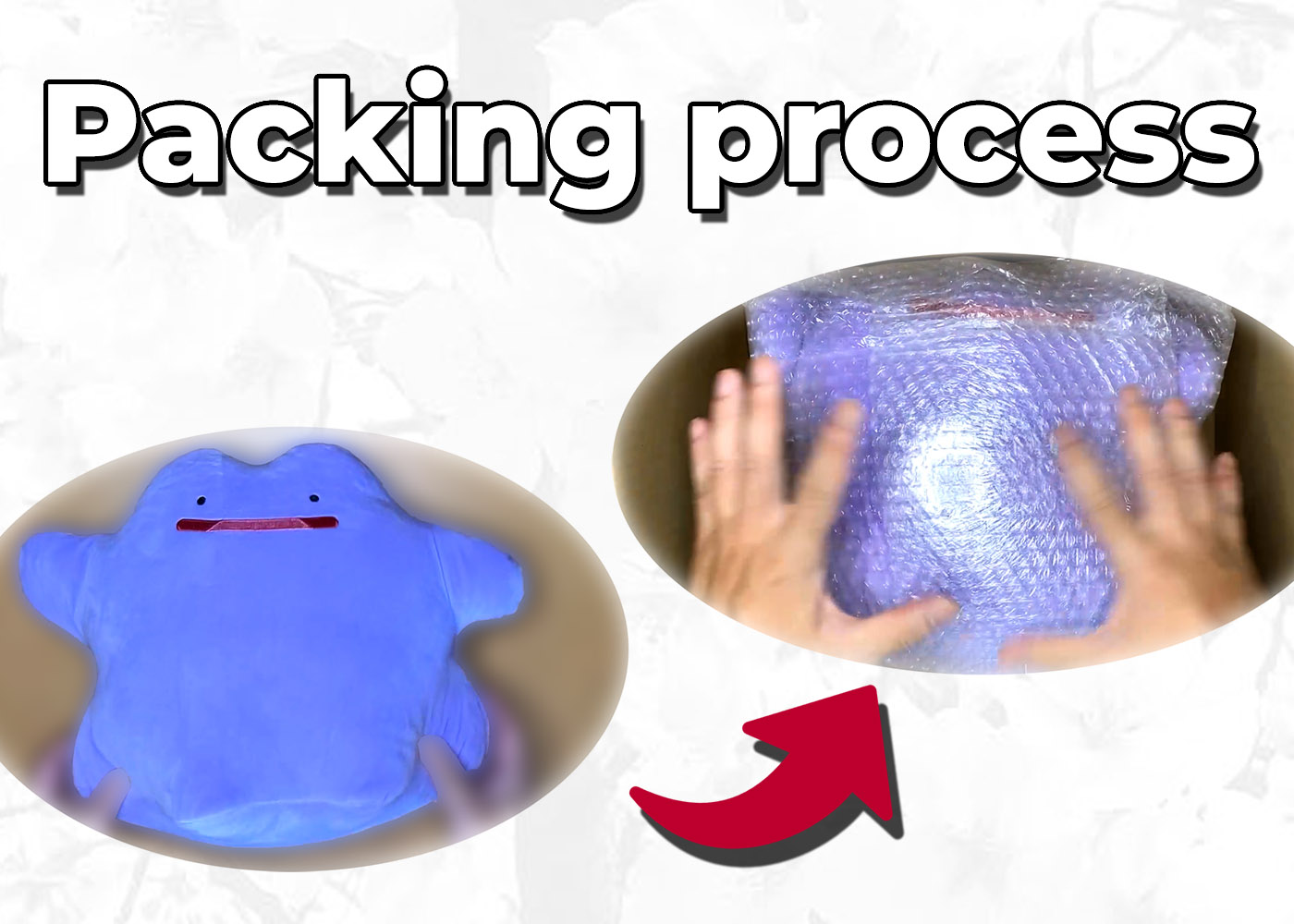 Inside Our Packing Process: How Negai Japan Ensures Your Japanese Products Arrive Safely
Discover how Negai Japan's professional packing process protects your Japanese purchases during international shipping. From strategic weight distribution to compact arrangement, see our meticulous 5-step method that ensures your items arrive safely while keeping shipping costs low. Plus, experience our behind-the-scenes ASMR packing video.
Inside Our Packing Process: How Negai Japan Ensures Your Japanese Products Arrive Safely
Discover how Negai Japan's professional packing process protects your Japanese purchases during international shipping. From strategic weight distribution to compact arrangement, see our meticulous 5-step method that ensures your items arrive safely while keeping shipping costs low. Plus, experience our behind-the-scenes ASMR packing video.
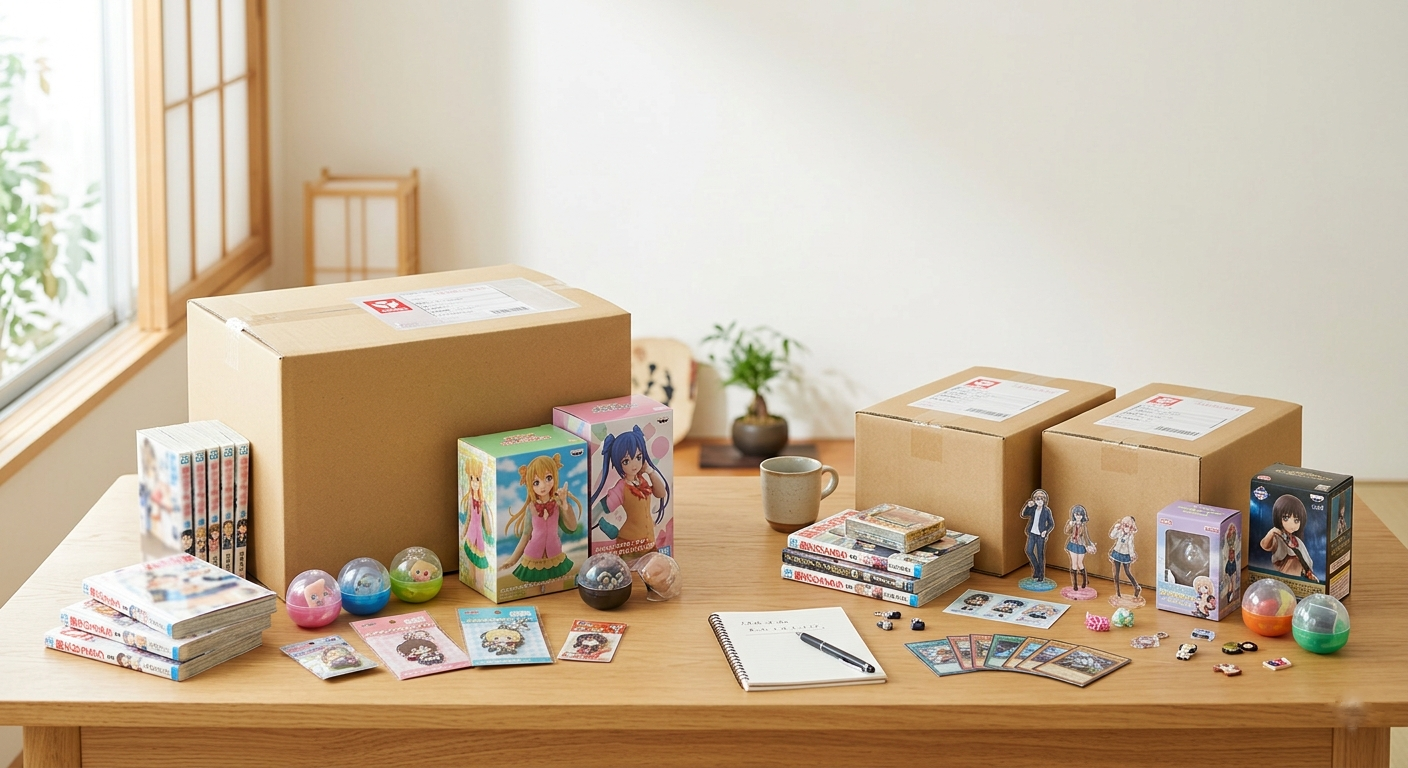 How to Save on Shipping from Japan: When to Consolidate and When Not To
If you buy multiple items from Japan, consolidating them into one parcel can help reduce costs, but not always. This guide explains when consolidation makes sense, when splitting a shipment may work better, and how to compare your options with more clarity before placing an order.
How to Save on Shipping from Japan: When to Consolidate and When Not To
If you buy multiple items from Japan, consolidating them into one parcel can help reduce costs, but not always. This guide explains when consolidation makes sense, when splitting a shipment may work better, and how to compare your options with more clarity before placing an order.

 Facebook
 Youtube
 Instagram